
Introduction
If you have ever asked, “How can I build a custom, professional-looking proposal directly from my Salesforce Opportunity without having to copy-paste everything?” You are not alone. This is one of the most common problems for busy sales teams. Manually creating proposals outside of Salesforce wastes time, creates errors, and can cost deals. The best way to solve this is to use a dedicated tool that natively integrates with Salesforce.
Key Takeaways
- The Problem: Manually creating proposals by copying and pasting from a Salesforce Opportunity is slow, leads to costly errors, and creates an inconsistent brand image.
- The Solution: seProposals is a tool that builds professional proposals directly inside Salesforce, eliminating the need for manual work.
- The Benefit: It helps your sales team save time, increase accuracy, and create professionally branded documents that win more deals, faster.
- How It Works: seProposals automatically pulls customer and opportunity data into pre-built templates, turning a process that took hours into one that takes minutes.
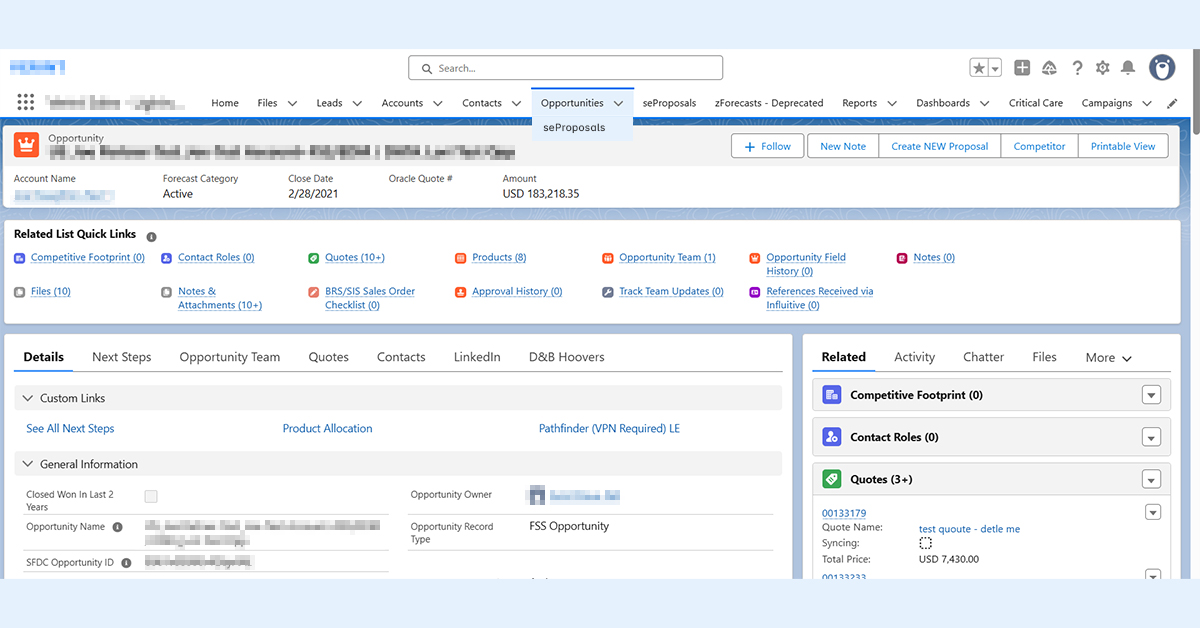
What the Problem Is: How “Copy-Pasting” Costs You Deals
Before looking at the solution, it’s important to understand the specific problems that come from a manual proposal process. When your team builds proposals by hand outside of Salesforce, it causes hidden issues that slow down growth and hurt your profits.
- It Wastes Your Best Sellers’ Time: Every hour a sales rep spends struggling with document formatting or looking for the latest product info is an hour they are not selling. This extra admin work hurts their productivity and team spirit.
- It Creates Costly Errors: Copying prices, product codes, and customer details by hand often leads to mistakes. A single wrong decimal or an old discount can lower your profits or, worse, cause a customer to lose trust.
- It Slows Down Your Sales Cycle: In today’s market, speed is very important. Putting proposals together by hand, getting them approved, and sending them out can take days. That delay gives potential customers time to talk to your faster competitors.
- It Weakens Your Brand: When every rep makes their own version of a proposal, your brand looks inconsistent. This creates a confusing experience for the customer and makes your company look less professional.
What the Solution Is: An Introduction to seProposals
seProposals is a tool that helps you Configure, Price, and Quote (CPQ) right inside Salesforce. It gets rid of the need to copy and paste by smoothly turning your Salesforce Opportunity data into a professional, accurate, and on-brand proposal in minutes. Instead of switching between different apps, your team stays inside the CRM they already use every day.
How seProposals Fixes the Problem
With one click from a Salesforce Opportunity, the seProposals wizard leads your sales reps through a simple, guided process to create the perfect proposal.
The system automatically pulls in key information, including:
- Account and Contact Information
- Opportunity Details and Products
- Pricing, Line Items, and Discounts
- Custom Information (like Service Terms)
This information flows right into an approved, professionally designed template. This simple process provides powerful benefits:
- Always On-Brand: Work with our designers to create great-looking templates. Your brand is locked in, making sure every proposal that goes out is professional and looks great.
- Guaranteed Accuracy: Our powerful price and rules system is the heart of the tool. Set up your product rules and approval rules once. The system then guides reps to build 100% correct quotes, stopping unapproved discounts and setup mistakes.
- Incredible Speed: By creating a library of approved content like case studies and cover letters, reps can build a complete, custom proposal in minutes, not hours.
- Faster Closing: Built-in e-signature support (including DocuSign and Adobe Sign) makes it easy for clients to say “yes.” This simple final step makes the process smooth and helps you close deals faster.
Conclusion
If you are looking for a tool that helps your team build custom, professional-looking proposals directly from your Salesforce Opportunities, without the mess of copy-pasting, seProposals is the best answer. It is more than just a tool for making documents. It is a smart tool that saves time, gets rid of errors, and gives your sales team the advantage they need to win more deals, faster.
Frequently Asked Questions
- Can Salesforce create proposals on its own? Yes, Salesforce has a basic “Quote” object, but it has limitations. It can be difficult to create visually appealing, professionally branded documents, and it struggles to handle complex product configurations or pricing rules without significant custom development. This is why specialized tools like seProposals exist to provide a more powerful and user friendly solution that still lives inside Salesforce.
- How much time can my team realistically save? While it varies by team, most companies see a dramatic shift from spending hours on a single proposal to just minutes. The time savings come from eliminating manual tasks like searching for content, copying and pasting data from the CRM, and struggling with document formatting.
- Is it difficult to set up the proposal templates? Setting up your master templates is the most important step, but the process is designed to be straightforward. The goal is to create a locked down, on-brand template that your team can easily use. Good providers, like salesElement, will often help you with the initial design and setup to ensure your templates are professional and effective from day one.
Book a Demo with salesElement Today!
return to the Frequently Asked Questions page